SAT Plus software
Software for television broadcasting, playout and TV production.
Explore all major SAT Plus software products on a single page. Each solution is included in the initial HTML, while the tabs simply switch between systems.
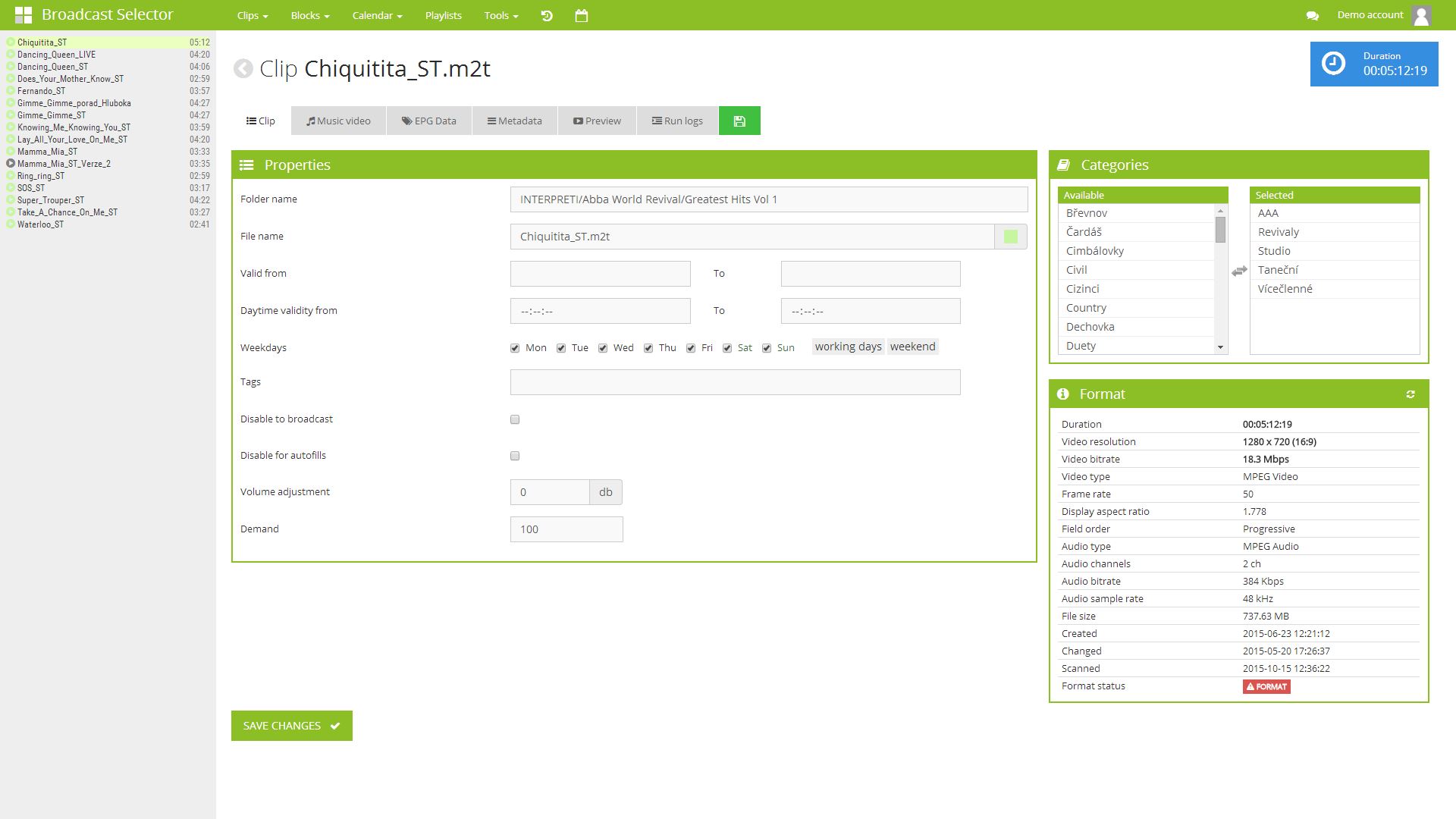
Broadcast Selector
Schedule programmes, advertising and self-promotion, then export the finished playlist to playout from one web interface.
Broadcast Selector brings the program schedule, advertising rules, self-promotion and metadata into one workspace for traffic, programming and engineering teams.
It moves schedule preparation out of spreadsheets and into a system that builds an accurate, controlled playlist ready for playout, with automated scheduling tools included.
Main function
- Long-term and daily program planning
- Management of blocks, shows, self-promotion and advertising
- Automatic functions for creating blocks
- Multi-user roles for traffic, program and technology
- Control and management via any web browser
- Connection to playout and export of playlists
- A solution independent of a specific playout system
Where it makes sense
- thematic and regional television stations
- sports and music channels
- broadcasting with advertising blocks and EPG
- multi-user workflow between traffic and playout teams
- multichannel broadcasting with the same file library
From program preparation to the finished playlist
The system turns traffic and programming data into a reliable broadcast playlist.
Inputs and media library
Shows, promos, ad positions and metadata come from a library of content and business assets.
Blocks and rules
The editor builds blocks and sets rules, durations, priorities, EPG links and branding.
Automatic fill
The system calculates gaps, validates the structure and prepares the playlist using the configured rules.
Playlist and export
The result is a complete broadcast day ready for export, playout and downstream operations.
SmartCASTER
Reliable playout for handling 24/7 broadcasts, graphic layers, logos and live inputs.
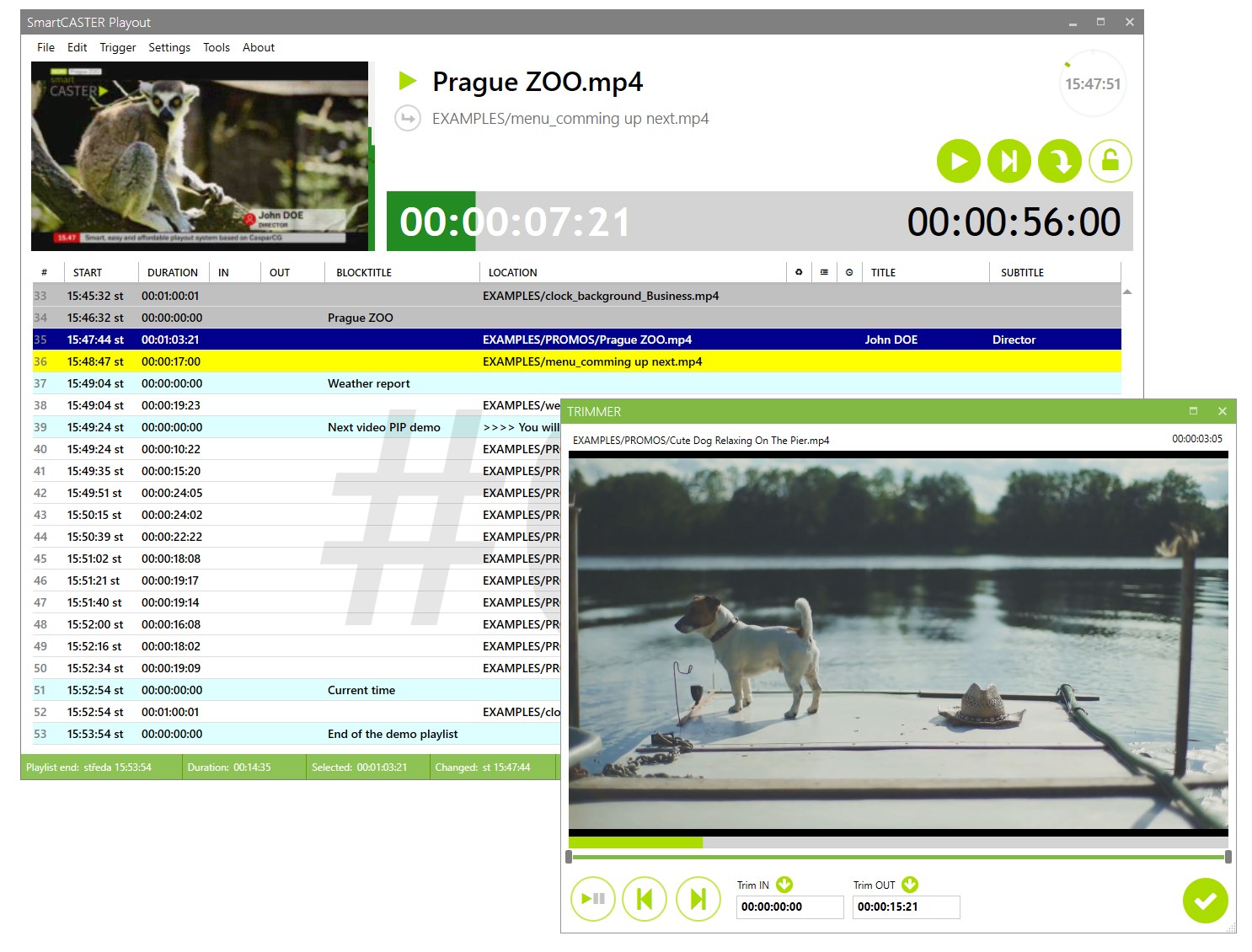
SmartCASTER turns a prepared schedule into a live television broadcast. It checks the playlist, triggers graphics, switches sources and keeps the output under control even when operations change.
For the client, it is the central layer that connects schedule, content, live inputs and branding into one stable broadcast workflow.
Main function
- Real-time playlist playout
- Graphic layers, animated logos and titles
- Fixed-time events and playout of live inputs
- Monitoring, logs and hybrid broadcast workflow
- Remote control via any web browser
Where it makes sense
- regional, sports and thematic television stations
- event and pop-up channels
- internal corporate broadcasting
- specialized streams
- digital signage
From the playlist to the final on-air output
The demo shows how SmartCASTER connects playlist, graphics and real TV output.
Playlist and metadata
The system loads the schedule of the day, program metadata, time events and required graphic layers.
Graphics and live inputs
It inserts logos, subtitles and HTML5 templates into the broadcast, or switches to a live input as scheduled.
Control and logs
The operator monitors the progress, possible interventions, as-run record and operational status of the entire service.
On-air output
The result is a stable linear output for SDI, HDMI, stream or other distribution layer.
MuxHub Plus
Professional DVB/IP muxer for creating, remultiplexing and distributing MPEG transport streams, complete with playout for regional television.
MuxHub Plus creates one or more independent CBR multiplexes from live and file sources. Video, audio, subtitle and data components can be combined into the resulting service, PID mapping and PCR timing can be controlled separately, and DVB signaling including optional AIT for HbbTV can be generated.
It also offers a simple daily playout for regional stations: just drag MP4 files to the playlist using the drag & drop method, arrange and start. We deliver the solution as a small ready-made device including hardware or separately as software.
IP TS 01
IP TS 02
SRT
MuxHub Plus
DEMUX · PROCESS · MUX
MUX OUT
HbbTV
DVB SUB
Separate muxer
- Receiving transport streams from one or more IP sources
- Analysis, demultiplexing and selection of program components
- Compiling the finished broadcast multiplex
- Embedding HbbTV signaling into the resulting service
- SRT conversion and insertion of hidden DVB subtitles
- Output transport stream for further DVB or IP distribution
Playout for small stations
- Drag & drop MP4 files directly to the daily playlist
- Simple compilation of a program for regional television
- Station logo embedded directly in source files
- A small device supplied complete with hardware
- Available separately as a software-only solution
- Remote management and station-specific configuration
From IP streams to a finished broadcasting multiplex
MuxHub Plus connects reception, selection of components, completion of signaling and distribution of the resulting transport stream.
Receiving IP streams
The device accepts source transport streams from networks, encoders, headends or distribution routes.
Selection of components
It selects the image, sound, service data and other components needed for the resulting service from the inputs.
HbbTV and subtitles
It complements HbbTV signaling and creates hidden DVB subtitles from SRT files.
Complete multiplex
The assembled broadcast multiplex is sent via the selected network interface to another DVB or IP distribution.
Technical specification
MPEG-TS multiplexing, playout and IP distribution
An overview of the main possibilities of multiplexing, playout and DVB/IP distribution.
Multiplex and DVB signaling
- Multiplexes: one or more independent CBR outputs
- Types of services: MPTS · SPTS
- Management: PID mapping · PCR timing · bitrate · null packets
- DVB tables: PAT · PMT · SDT · AIT for HbbTV
Input streams
- UDP: unicast · multicast
- RTP MPEG-TS
- Multicast: network interface · IGMPv3 · SSM
- Streams: SRT · RTMP · HLS
- MPEG-TS files: playback · loop
Files and playout
- Containers: MP4 · M4V · MOV
- Media: H.264/AAC · raw Annex-B H.264 · test video signal
- Control: codecs · length · bitrate · target stream compatibility
- M3U: manual start · repeat · timed switch
- Timing: continuous PTS/DTS and PCR
DVB subtitles and HbbTV
- DVB subtitles: ETSI EN 300 743 · dedicated PID
- Profiles: HD 1920 × 1080 · SD 720 × 576
- Parameters: language · type · composition ID · ancillary ID
- Appearance: font · colors · outline · line spacing · margins · transparency
- REST API: updating and deleting subtitle pages
Output and distribution
- Format: MPEG-TS CBR · file
.ts - IP output: IPv4 UDP unicast · multicast
- Network: address · port · interface · socket buffer · TTL
- Destinations: IPTV · modulators · headends · DVB gateways · monitoring
Surveillance and operational resilience
- Monitoring: inputs · outputs · bitrate · PID · RTP losses · queues
- Recovery: automatic restart of an input or output stream
- Synchronization: adaptive clock matching
- Telemetry: TS files · programs · PID · PMT · PCR · DVB services
Standards
- ISO/IEC 13818-1: MPEG-TS · PES · PTS/DTS · PCR
- ETSI EN 300 468: DVB SI/PSI
- ETSI EN 300 743: bitmap DVB subtitles
- IP distribution: RTP · UDP multicast · UDP unicast
Deployment
- Platforms: server · industrial PC · ARM · customer hardware
- Interface: standard MPEG-TS and IP
- Dimensioning: number of multiplexes · bitrate · number of inputs and outputs
- Integration: broadcast · IPTV · internal distribution
Coder Plus
Automated bulk file conversion and conversion between file, SDI and IP formats.
Coder Plus accepts a wide range of inputs, processes them with the selected encoding profile and produces the required output. It supports bulk file conversion and automatic processing through a watch folder: simply add new material and the system handles the rest.
The same system can be used to convert live NDI or SDI sources to distribution streams such as SRT. The result can be an encoded file stored in the destination folder or a stream sent directly over IP.
FILLET
NDI
SDI
Coder Plus
DECODE · PROFILE · ENCODE
FILLET
IP
SRT
Inputs and automation
- Bulk conversion of a large number of files
- Automatic processing of new files via watch folder
- File inputs as well as live NDI and SDI sources
- A job queue for controlled sequential processing
- Profile selection based on the source type and required destination
- A unified workflow for repeated conversion jobs
Profiles and outputs
- Encoding profiles for different target formats
- Convert live NDI or SDI inputs to MPEG-TS
- Encoding SDI input to SRT stream
- Saving the result directly to the output file
- Sending encoded output directly over IP
- Inputs, outputs and profiles configured around the customer's workflow
From source to encoded file or stream
Coder Plus automates the entire chain from taking the input through the selected profile to the delivery of the result.
Input
The system takes over a file from the watch folder or a live signal from an NDI or SDI source.
Encoding profile
The operator selects a prepared profile with the format and encoding parameters required for the task.
Conversion
The material or live signal is decoded, processed and encoded into the target form.
Delivery
It saves the result as a file, sends it to the destination folder or starts broadcasting as an IP or SRT stream.
Technical specification
Supported sources, codecs and distribution targets
An overview of the main capabilities of live coding, batch conversion and automation.
Inputs
- NDI
- SDI: Blackmagic DeckLink · automatic format detection
- SRT: Caller/Listener · latency · Stream ID · AES 16/24/32 B
- UDP/multicast: network interface selection · receive buffer
- RTMP
- File · M3U · Watch Folder: UNC paths · subfolders
Media and automation
- Video:
.mp4·.mov·.mxf·.mkv·.avi·.mpeg·.mpg·.m2ts·.ts·.webm - Audio in M3U:
.wav·.mp3·.aac·.m4a - Watch Folder: automatic handling of · UNC · subfolders
- M3U: create · edit · drag & drop · manual launch
- Playback: file or playlist loop · daily playlists
Video codecs and encoders
- Codecs: H.264 / AVC · H.265 / HEVC · MPEG-2
- Encoder: software · NVIDIA NVENC · automatic fallback
- Flow control: CBR · VBR · CQ/CRF
- Presets: NVENC P1–P7 · software
ultrafastuntilveryslow - GOP: Auto · I · IP · IBP · IBBP · closed GOP
- Image: resolution · FPS · Auto/TFF/BFF · 16:9/4:3 · low latency · lookahead · AQ
Profiles and video parameters
- H.264: Auto · Baseline · Main · High
- HEVC: Auto · Main · Main 10
- Ready-made profiles: H.264 1080i25 · H.264 720p25 · DVB HD 1080i25 · DVB SD 576i25
- MPEG-2: DVB SD 576i25 · MPG
- MPEG-TS pass-through: prepared SPTS without transcoding
Audio
- Codecs: AAC · MP2 · AC-3 · E-AC-3
- Parameters: bitrate · sampling · ISO 639-2
- Channels: 1 · 2 · 4 · 6 · 8 · source preservation
- Dolby signaling: Auto · DVB · ATSC
- MP2: stereo / 48 kHz AC-3 and E-AC-3: 5.1 / 48 kHz
Live encoder outputs
- Format: MPEG-TS · multiple concurrent targets
- UDP/multicast: TTL 1–255 · network interface
- SRT: Caller/Listener · latency · Stream ID · AES
- RTMP
- TCP MPEG-TS
- MPEG-TS file:
.ts
Watch Folder outputs
- MP4: video and audio by profile
- MXF: broadcast PCM 24-bit / 48 kHz
- MPG: MPEG-2 · MP2 stereo 192 kbps
- Automation: subfolder structure · prefix/suffix · up to 16 parallel transfers
- Transmission: FTP · FTPS · SFTP · verified send
Overlay and supervision
- Logo/overlay: image or video with alpha
- Placement: native size · fullscreen · five positions
- Animation: repeat · adjustable interval
- Preview: picture · audio L/R meters
- Detection: black image · silence · lost frames
- Recovery: automatic restoration of the media path
Production Toolkit
Comprehensive management of production requests, orders, people and equipment in a single production layer.
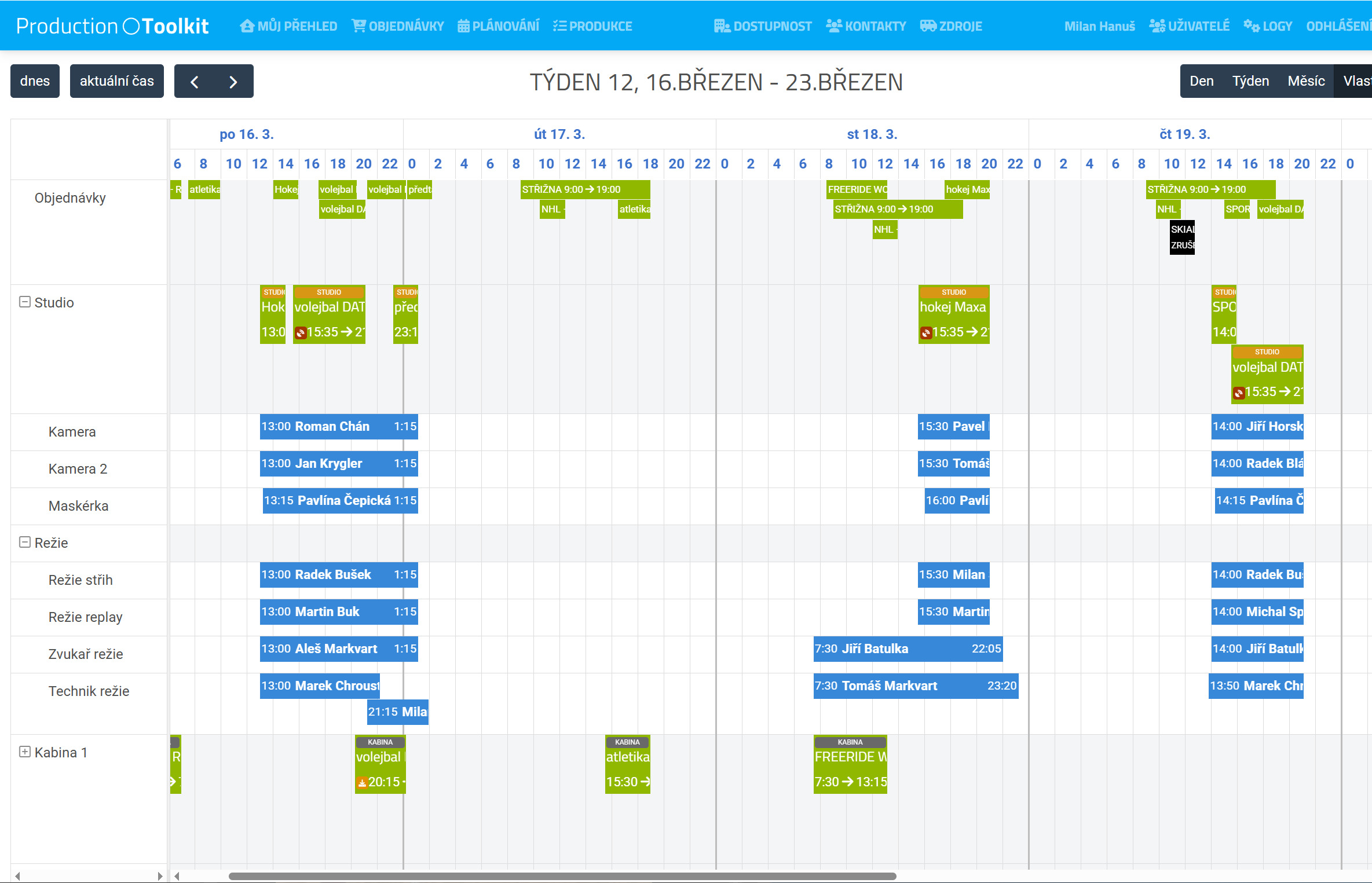
The Production Toolkit unifies production assignment, production orders and capacity planning across technology, people and deadlines. It is the operational backbone for companies that have multiple concurrent projects and don't want to keep everything in emails.
The client gains a clear view of what is being produced and when, who is working on it, which equipment is needed and where capacity conflicts arise.
Main function
- Entering contracts and orders for production
- Human and technical capacity planning
- Overview of implementation status and resources
- Continuity with internal coordination and operation
Where it makes sense
- production companies with multiple teams
- television station with internal production
- event agencies
- OB van management
- complex coordination of orders and resources
From business requirement to completed production
One axis for the order, deadline, technology and people gives production the necessary order.
Order submission
The production team enters the request, deadline, client scope and core production requirements.
Capacities and technology
The system assigns the necessary people, vehicles, studio, equipment and warns of possible collisions.
Operational changes
During preparations, you can change the scope, move resources and keep an up-to-date overview for everyone.
Implementation and reporting
The order continues into production with clearly defined status and operational reporting.
EPG Data
Management of EPG data, program metadata and exports for operators, OTT platforms and other distribution partners.
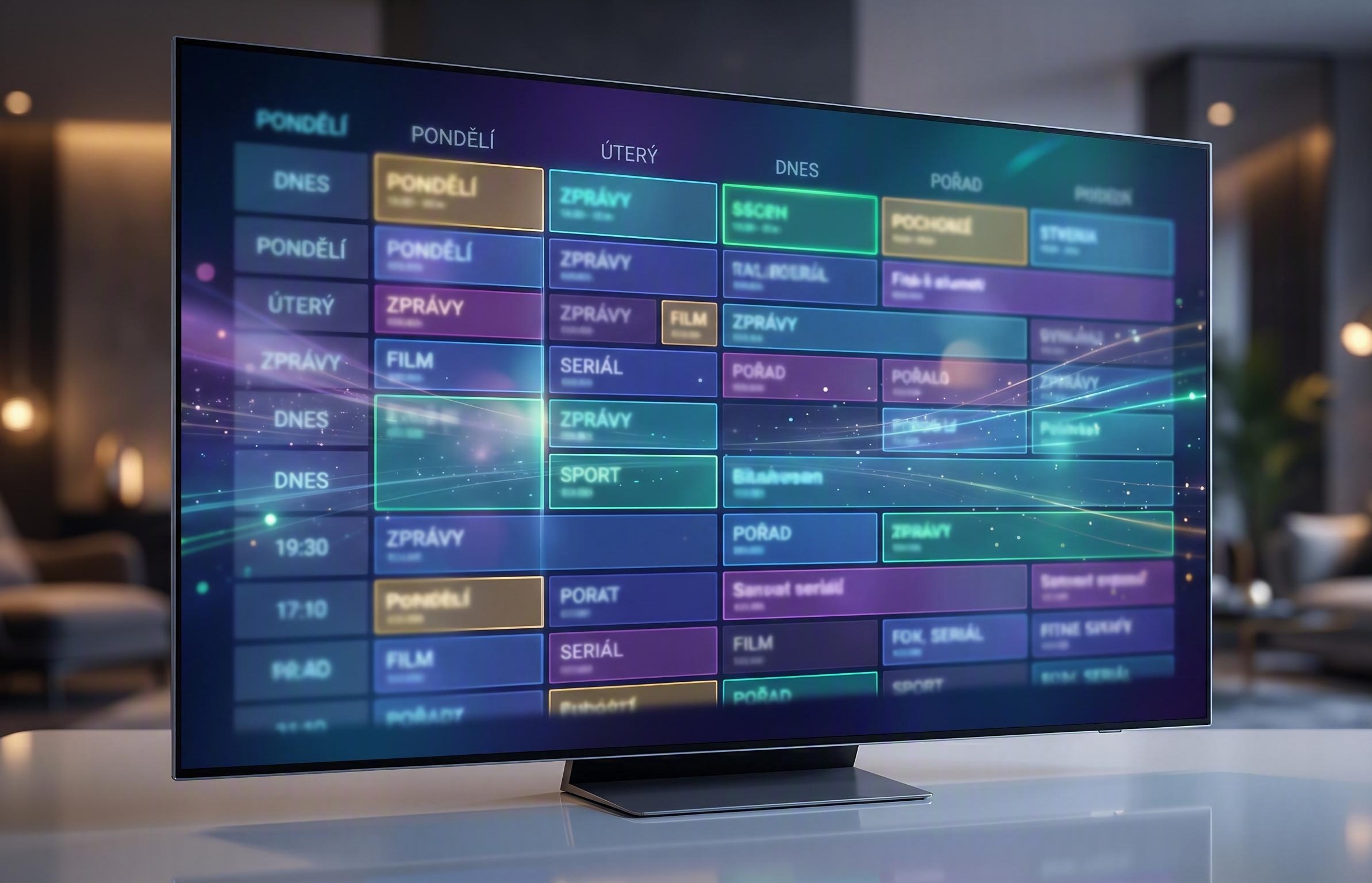
EPG Data keeps program information consistent between broadcast scheduling, operators and digital distribution. A change in the program does not have to be rewritten in several places.
It is suitable for televisions that need to have an accurate electronic program guide, program descriptions, genres, images as well as exports for different partners and platforms.
Main function
- Manage titles, descriptions, genres and accompanying metadata
- EPG export for operators, OTT and other distribution
- Quick fixes in the event of a program change or emergency
- Continuity with broadcast planning and traffic workflow
Where it makes sense
- channels with linear broadcasting and EPG
- operator and OTT distribution
- station with frequent program changes
- operations where metadata is related to advertising and the archive
From program schedule to distributed EPG data
A single data layer reduces the margin of error between the broadcast plan and what the operator or viewer sees.
Program source
The system takes over the program schedule, times, titles and associated metadata from the planning layer.
Data enrichment
Editorial or scheduling teams add annotations, genres, episode data, images and other attributes.
Validation and export
The platform checks required fields and prepares outputs for specific partners and formats.
Distribution to partners
Current EPG data goes to operators, OTT services and other downstream systems.
Subtitling software
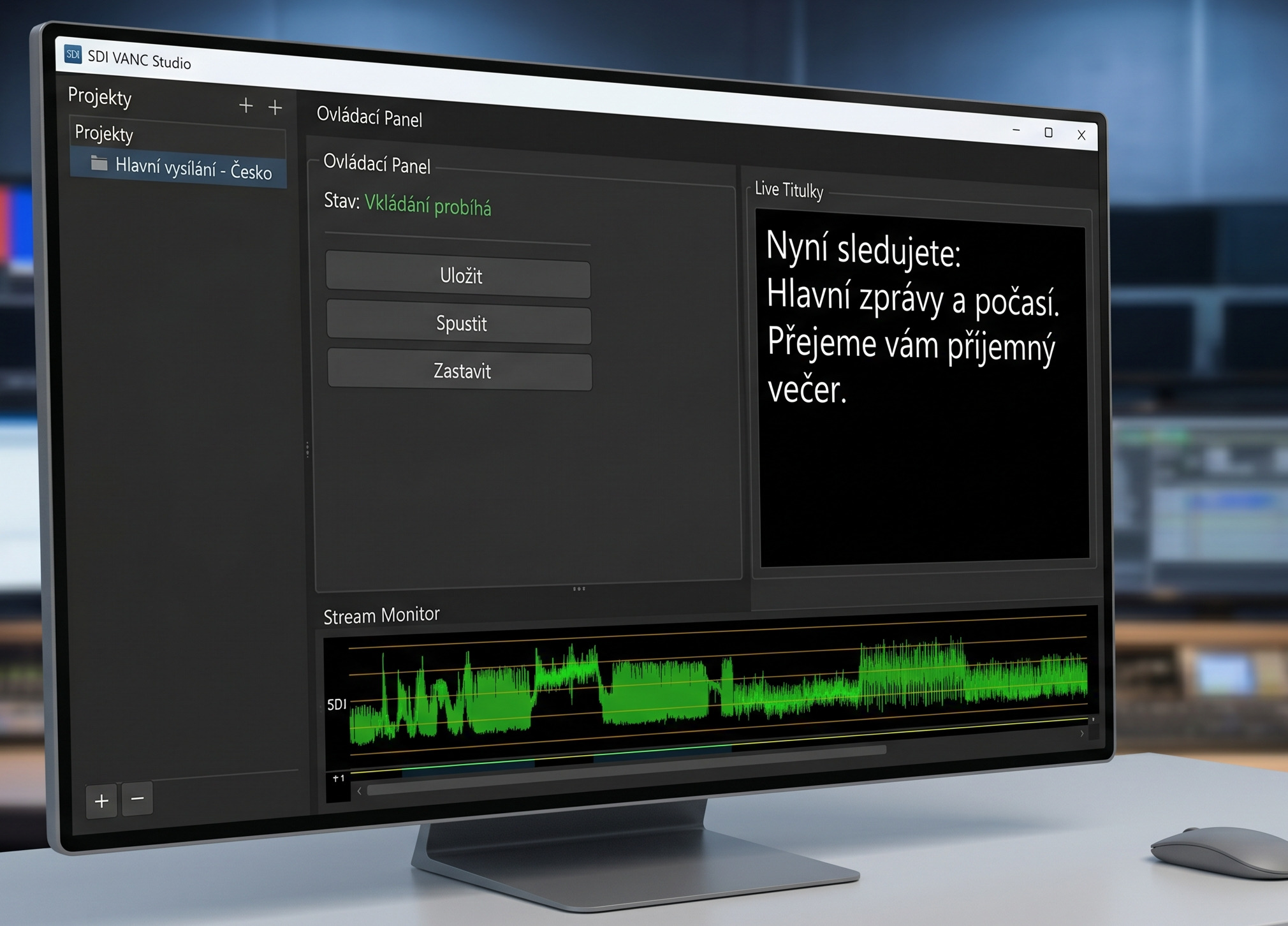
Precise management, editing and export of subtitles for linear broadcasting, VOD and archive content.
The subtitling system is designed for television production, localization and content accessibility. It supports the timing, editing and management of multiple language versions in workflows where accuracy and synchronization with the video are essential.
It is suitable for clients who need to get subtitles into linear broadcast, VOD, archives or specialized distribution formats without the manual chaos.
Main function
- Timing and editing of subtitles
- Manage multiple language versions
- Export to standard distribution formats
- Continuity check on video and master
Where it makes sense
- TV shows and magazines
- archive and VOD content
- multilingual distribution
- content with statutory disclosure requirements
- the need to broadcast closed captions for TV stations
From spoken content to a usable subtitle track
A uniform production process for TV subtitles without unnecessary manual processing.
Source master
The input is the final video, transcript or imported text base.
Timing and editing
The editor adjusts the breakdown, reading rhythm and continuity to specific passages of the program.
Review and version
The system maintains revisions, language versions and export rules for different platforms.
Distribution
Finished subtitles go to broadcast, archive, OTT distribution or subsequent post-production.
Prompter Plus
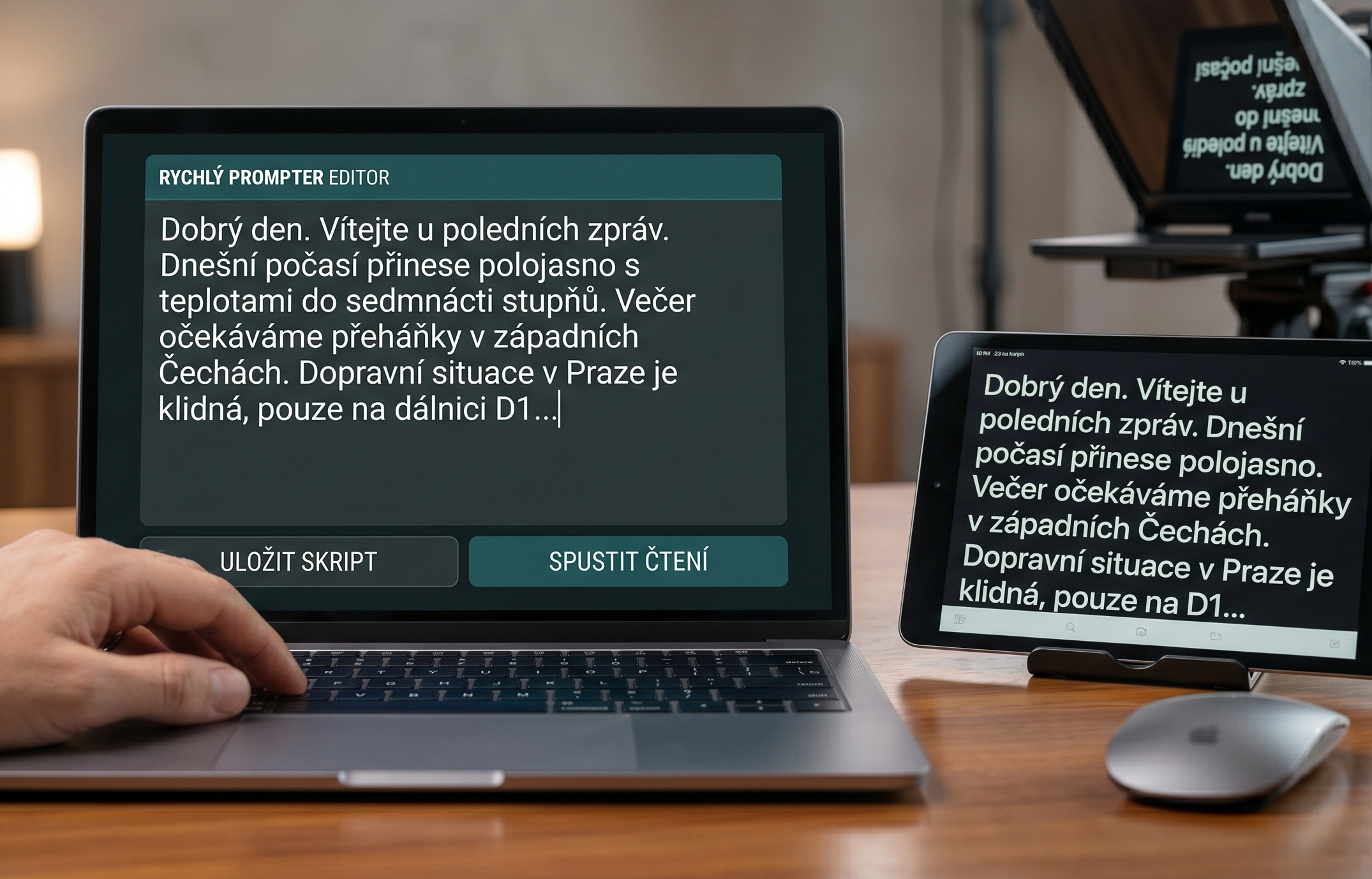
Web teleprompter for preparation and live reading of scripts during broadcasting, filming and presentations.
Prompter Plus turns a phone, tablet, laptop, monitor, television or on-camera prompter display into a synchronized teleprompter. All you need is a web browser and a private link.
The editor, operator and presenter all work from the same script during a live production. Text changes and the current reading position appear immediately on every connected screen.
Scripts and preparation
- create, edit, duplicate, search and delete scripts
- organize scripts into folders
- import from a publicly shared Google Docs link and refresh on demand
- rich-text editor
- markers and cue points for presenters, guests, music cues and custom notes
Live reading control
- start, stop and pause scrolling
- change speed and return to the beginning
- jump between markers or paragraphs
- set the current position in the script
- synchronized content and reading position across all connected displays
Displays tailored to each use case
- separate naming of each connected display
- horizontal and vertical flip and color inversion
- text size, zoom, colors, navigation arrows and reading zone
- show or hide markers as needed by the presenter
- test pattern to quickly check each display
Ready for the whole team
- sign-in and multi-user access
- account administration, access management and user activation
- a hosted online service or deployment in the customer's own server environment
From script preparation to a confident live delivery
Prompter Plus combines script preparation, scroll control and reading screens in one live session.
Script
The editor creates or imports a script, edits its formatting, and inserts important cue points.
Connecting displays
Each display joins the browser session through a private link, with support for multiple positions at once.
Live control
The operator controls scrolling, speed, navigation and the current position, and can update the script at any time.
Synchronized reading
All screens receive the current text as well as the reading position, so the team stays in sync.
Ingestor
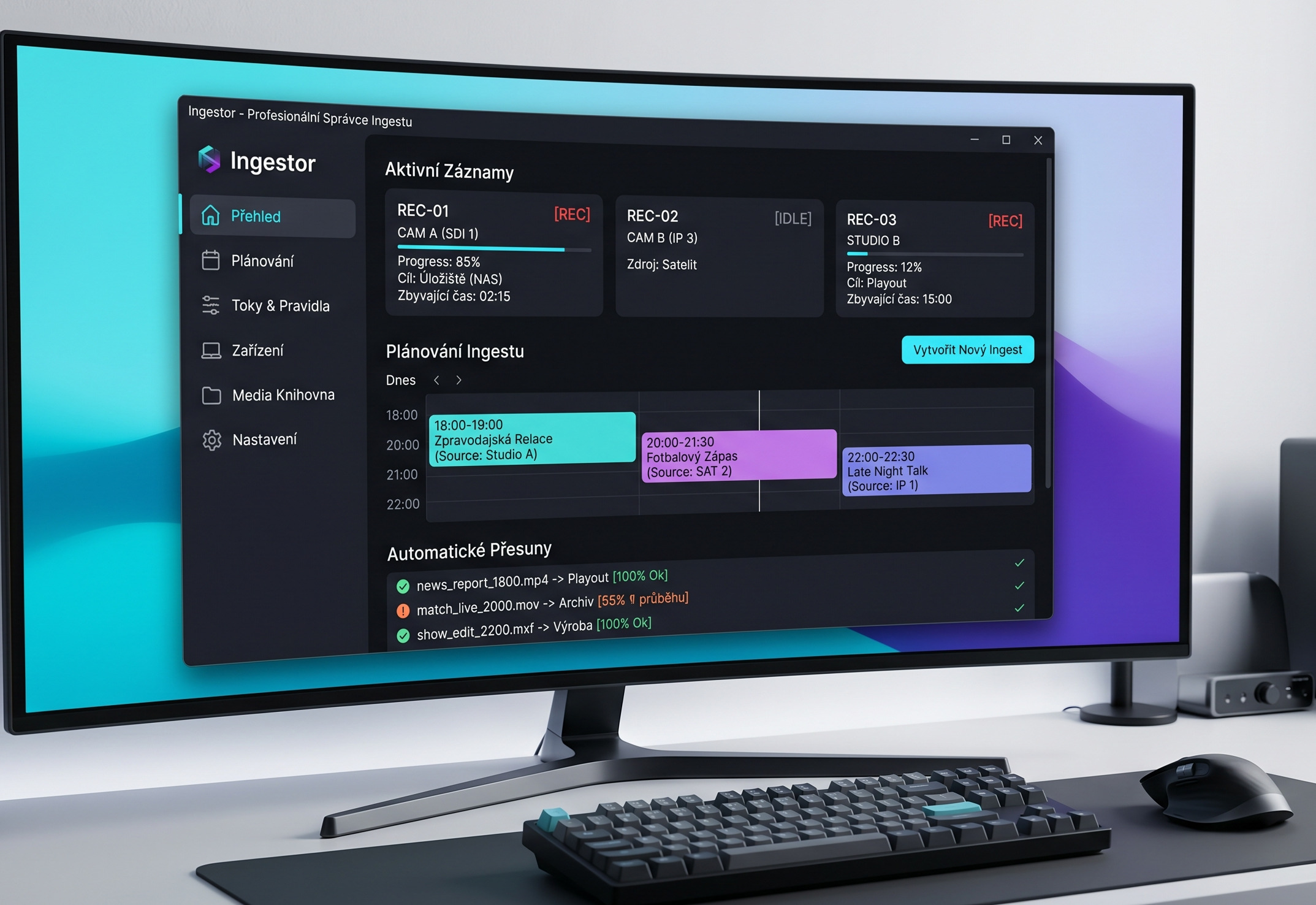
Controlled recording, ingest planning and automatic transfer of materials to playlist, storage or other production.
Ingestor determines exactly what should be recorded when, from which source, to which recorder and what should happen to the material after the recording is complete. It is the operational layer between the signal and further use of the content.
It is designed for operations that have outgrown manually maintained recording schedules and need confidence that every asset will be stored correctly and passed to the next system.
Main function
- Scheduling recording on specific recorders
- Manage multiple input sources and slots
- Automatic transfer to playlist or storage
- Overview of the status of ingestion and records
Where it makes sense
- sports and event records
- workplace television intake
- archive and transcription workflow
- operations with multiple recorders and multiple sources
From the planned signal to the prepared file
The system builds ingest as a controlled process, not a series of manual tasks.
Source and slot
Production or scheduling staff specify which broadcast or program should be recorded and when.
Recorder schedule
Ingestor allocates a record to a specific machine, checks for conflict and reserves capacity.
Move and Validate
When finished, it moves the file to the destination folder or storage and verifies the delivery status.
Another production
The material is ready for playout, post-production, archive or other automated process.
Timeline Plus
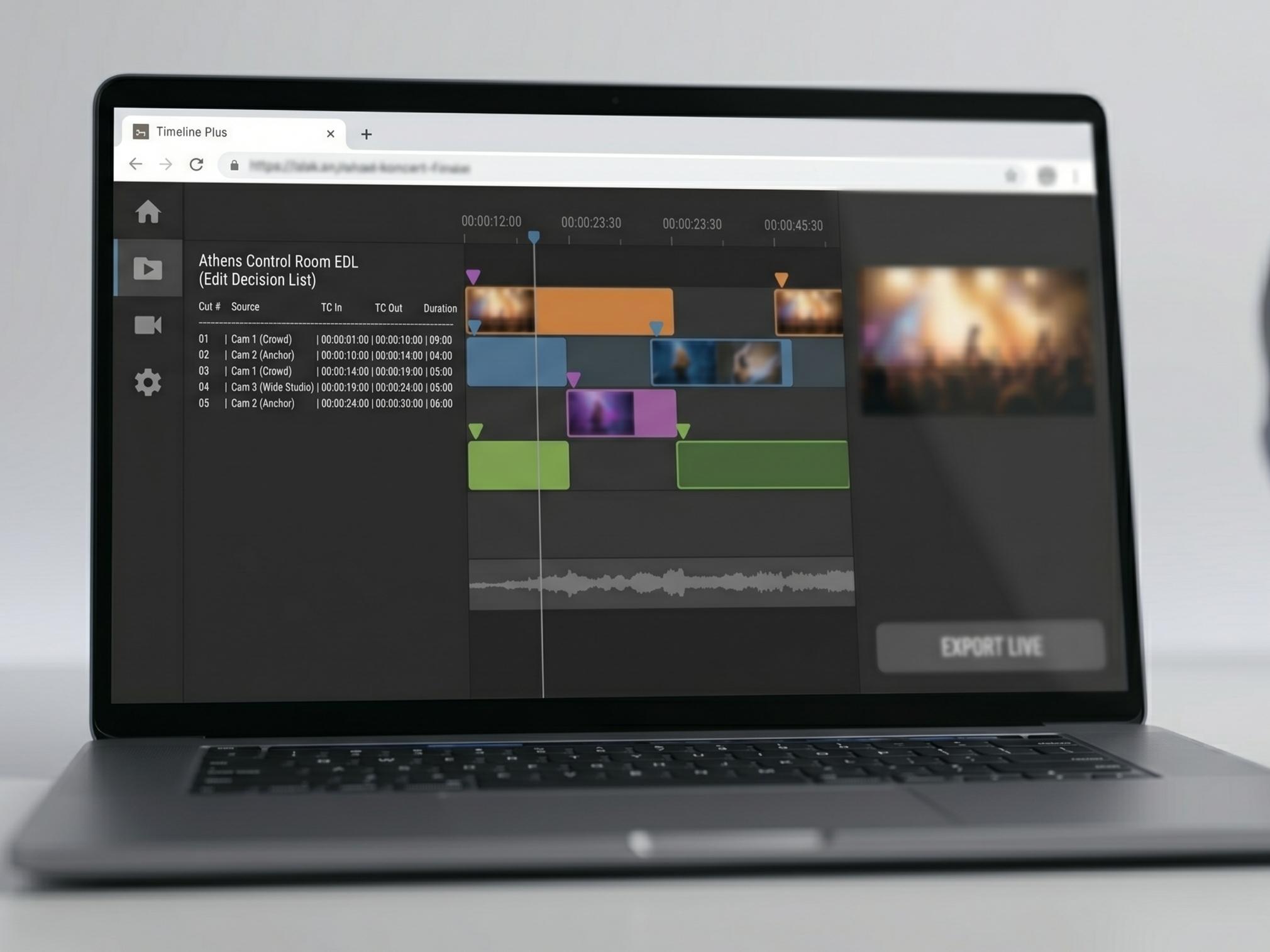
Automatic reconstruction of the timeline from the live edited broadcast for faster post-production and archival versions.
Timeline Plus recreates a live edit in the flexible post-production environment of a non-linear editing suite. For concerts and large events in particular, it significantly speeds up further processing and makes it easy to add shots from other cameras.
It is ideal when the live cut provides a valuable starting point but the programme still requires colour grading, archive versions, highlights or further editing after the event.
Main function
- Reconstruction of the editing timeline
- Follow-up to live switching and recordings
- Faster post-production versions and color grading
- Full use of recorded material
Where it makes sense
- post-production color grading
- concerts and cultural records
- archival post-production
- multi-camera live shows
- post-production in various screen formats
From live editing to an editable timeline
The transfer cut becomes the basis for further processing without having to manually create the entire project again from scratch.
Live switching
The live production switch creates a usable edit from multiple cameras and sources during the event.
Event log
Timeline Plus captures the logic of cuts, effects and switches in precise time sequence.
Reconstruction
After the event, the system compiles the diverted footage into an editable timeline that can be opened by the post-production team.
Post production
The editor edits the material on the timeline, including inserting additional shots and precise color grading of the shots.
Runline
Cue management and a central live-event plan for the control room, stage management, camera operators, lighting and production teams.
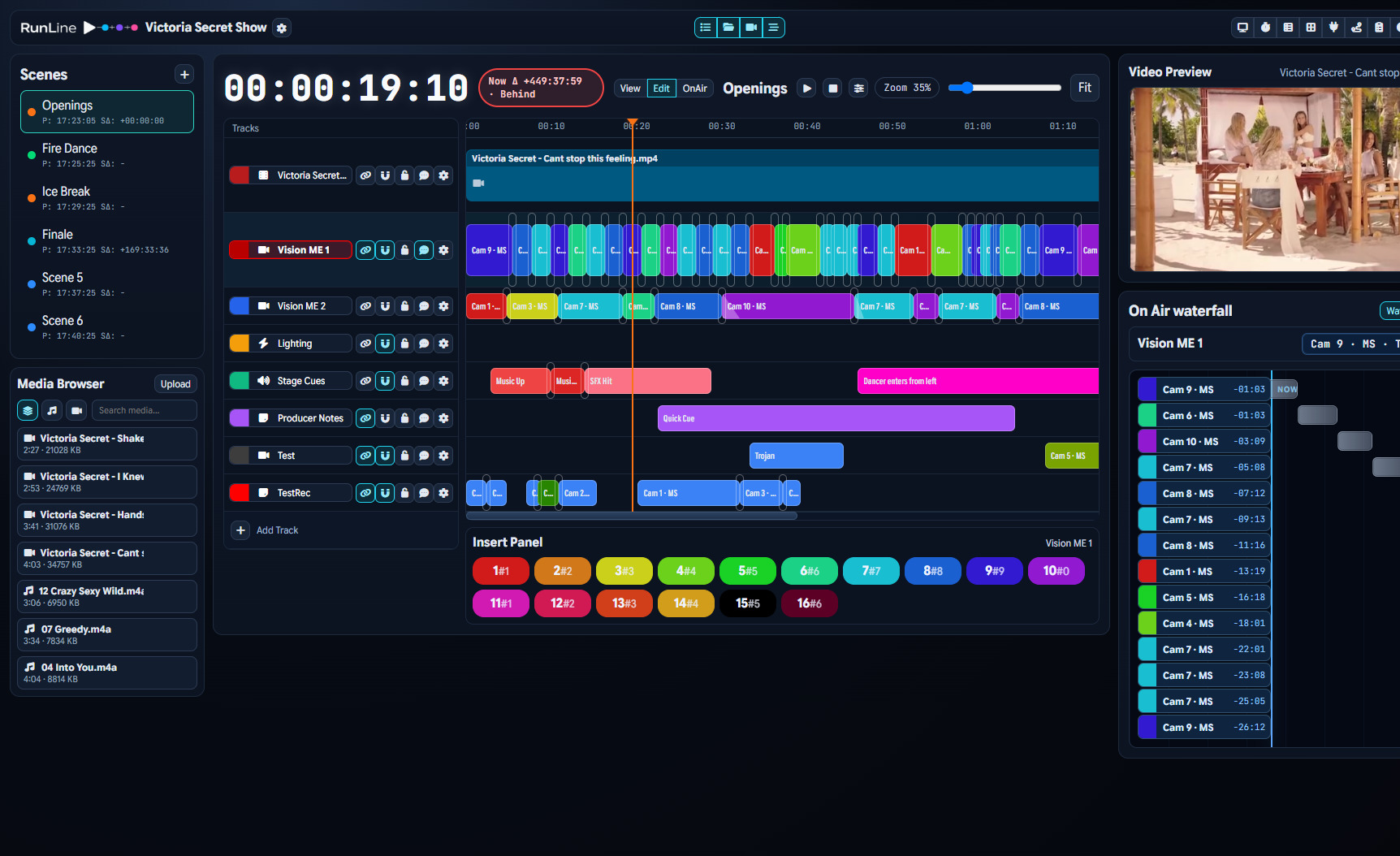
Runline is a system for managing live events, broadcasts and shows, in which all roles have a common schedule and clearly defined responsibilities for specific moments of the show.
It is suitable for clients who prepare complex sports shows, musical or cultural events and do not want to maintain coordination only through shared documents, radios and improvisation.
Main function
- Clear cue management and event schedule
- Shared overview for all roles in operation
- Changes in real time during the event
- Overview of scenes, blocks, shots and responsibilities
Where it makes sense
- musical and cultural events
- sports and studio shows
- festive gala evenings and conferences
- production with multiple technical teams
From plan to script to live action
This turns brainstorming and production notes into a coordinated project that can be automated further.
Script and brainstorm
The input includes a dramaturgical script, creative notes, time estimate and requirements of individual teams.
Breakdown into tasks
Runline breaks down the action into specific blocks, shots, lights, cameras, graphics and key responsibilities.
Live coordination
During the event, everyone can see the current standings, changes in the program and what will follow in the next few minutes.
Integration with playout
The result is more reliable live operation with direct integration into automated editing, graphics and playout.
Live Captioning / AI subtitling
Automatic transcription and live captioning for modern TV broadcasts, event streams and other speech data applications.
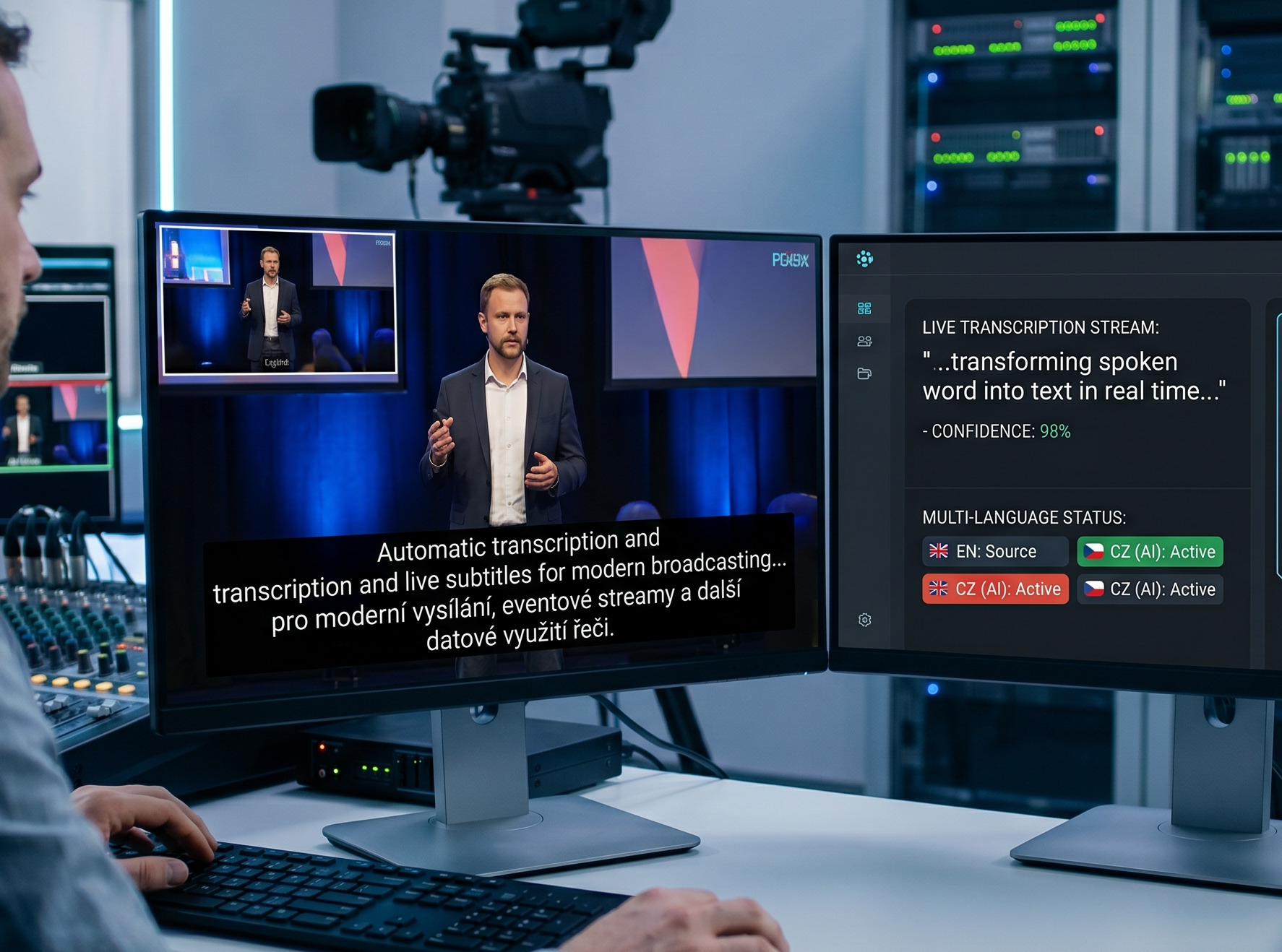
The system converts spoken word to text in real time and helps with accessibility, archiving and further use of speech in internal and distribution processes.
It is ideal for clients who want to accelerate subtitling, obtain a full transcript of their content and reduce reliance on an entirely manual workflow.
Main function
- Real-time AI transcription
- Live subtitles with real-time corrections
- Use for fulltext, archive and metadata
- Better accessibility and wider distribution of content
Where it makes sense
- live streams and broadcasts
- conferences and panel discussions
- archiving of the spoken word
- content with a request to make it available
From audio to subtitles and data
The AI layer works not only for the TV screen, but also for other internal data use of the content.
Audio input
The system receives spoken word from a broadcast, stream or internal audio channel.
AI transcript
The model continuously converts speech to text, segments content and prepares a subtitle layer.
Correction and validation
The operator may edit critical locations, names or specific terminology.
Display and Metadata
The output goes to live subtitles, archive, full text and other related systems.
Inventory Plus
An internal system for registration, reservations, borrowing and servicing of company equipment — from an individual piece to a complete kit.
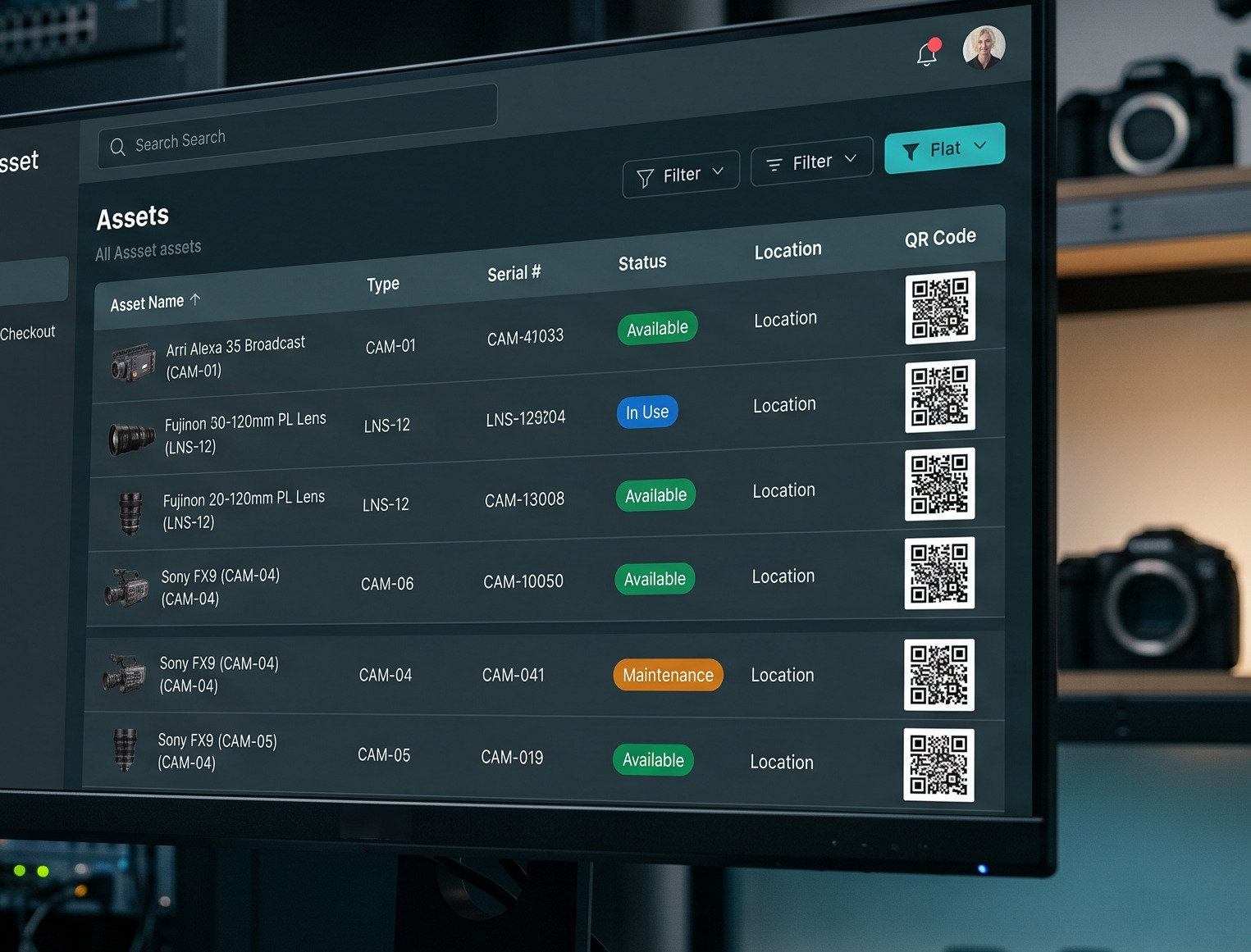
Inventory Plus manages the entire equipment lifecycle in one place. Every item has its own record, location, status, specifications and attachments. The system provides an up-to-date view of what is available or reserved, who has borrowed equipment and what is awaiting service.
During planning, it tracks deadlines and booking conflicts, helps prepare loans and speeds up handover with QR scanning. On return, it records the equipment's actual condition, any damage and missing accessories, then links seamlessly to servicing or future reservations.
The result is a unified operational overview for the warehouse, production and responsible users — without searching in tables, manual transcriptions and uncertainty about where the technology is currently located.
Main function
- records of equipment, kits, accessories and their condition
- reservation, date availability and collision monitoring
- issue, return and inventory using QR codes
- service, documentation, reports and operational history
Where it makes sense
- warehouses and internal equipment rentals
- production companies with multiple teams and departures
- transmission, studio and technical operations
- organization with shared equipment at multiple locations
Functional modules
Everything for technology management in one place
The individual modules follow each other from the registration of the technology to its service and evaluation of operation.
Technical records
- pieces, models, parameters, location, condition and attachments
- categories, manufacturers, companies, groups, labels and fulltext
- itemized equipment and records of specific serial pieces
Equipment kits and sets
- complete sets of equipment including accessories
- rules for self-borrowing kit items
Reservations and rentals
- calendar, due date availability, collisions and approvals
- preparation of loans, job lists and rental with price lists and discounts
Delivery and return
- QR identification, item replacement and partial refund
- condition, damage, accessories and logs with electronic signature
Service and documents
- service interventions, deadlines, providers, costs and history
- photos, manuals, datasheets, documents and file previews
Reports and administration
- dashboard, inventory and operational exports
- users, contacts, roles, access and audit logs
TV station monitoring
Operational supervision, alerts and reporting on station availability, distribution and service quality.
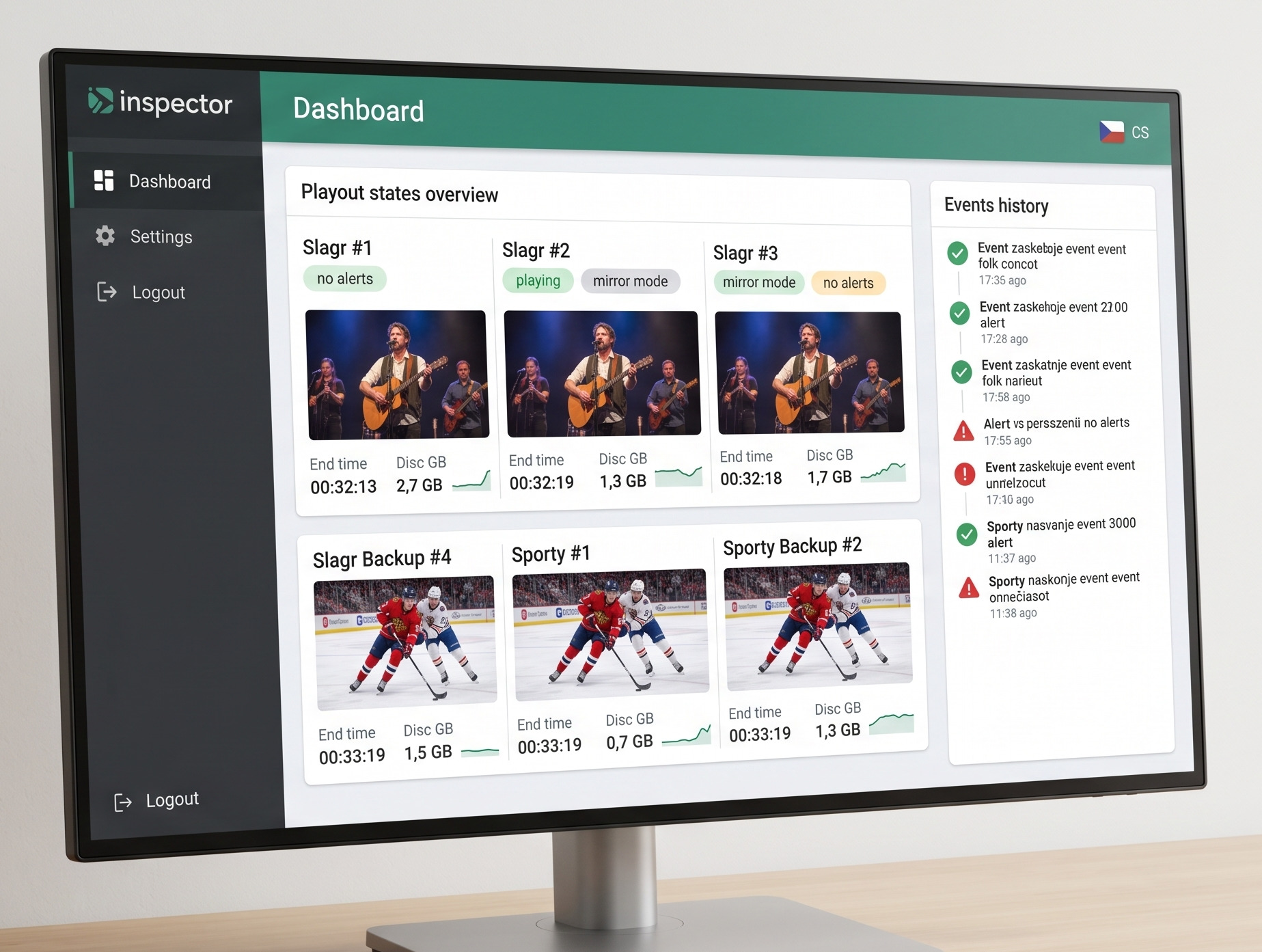
The monitoring platform helps the client to know what is happening with his station in real operation. Monitors the availability of all components, distribution, operational quality and creates reports for the technical and sales team.
The application is suitable for stations that want to have control not only over the on-air signal, but also over how the service is delivered, where problems arise and what trends are repeated in operation.
Main function
- Broadcast monitoring and distribution availability
- Alerts and incident records
- Regular overviews and reporting
- Operational data for further decision-making
Where it makes sense
- linear television channels
- streaming and hybrid distribution
- multi-channel broadcast operations
- internal and external SLA reporting
From real operational data to fast response
Monitoring serves not only as an alarm, but as a long-term source of operational intelligence.
Signal collection
The platform continuously reads the statuses of individual elements of broadcasting, distribution and technical components.
Evaluation of deviations
The system recognizes an outage, non-standard behavior or trend that needs to be addressed.
Alert and intervention
The technical team is alerted in time and can take corrective action before escalation.
Report and decision
The data is transformed into reports for operations, management and future capacity planning.
Sports graphics
Complete control of TV graphics for scorebugs, timers, rosters, statistics and special custom graphic formats.
The system is designed for general television sports graphics, not just for betting. The operator can manage a specific sports workflow, take over online statistics, work with rosters and manually add current game events.
It is suitable for hockey, football, basketball, volleyball and other sports that need scores, clocks, substitutions, player names, standings, results and statistics combined reliably in a single production layer.
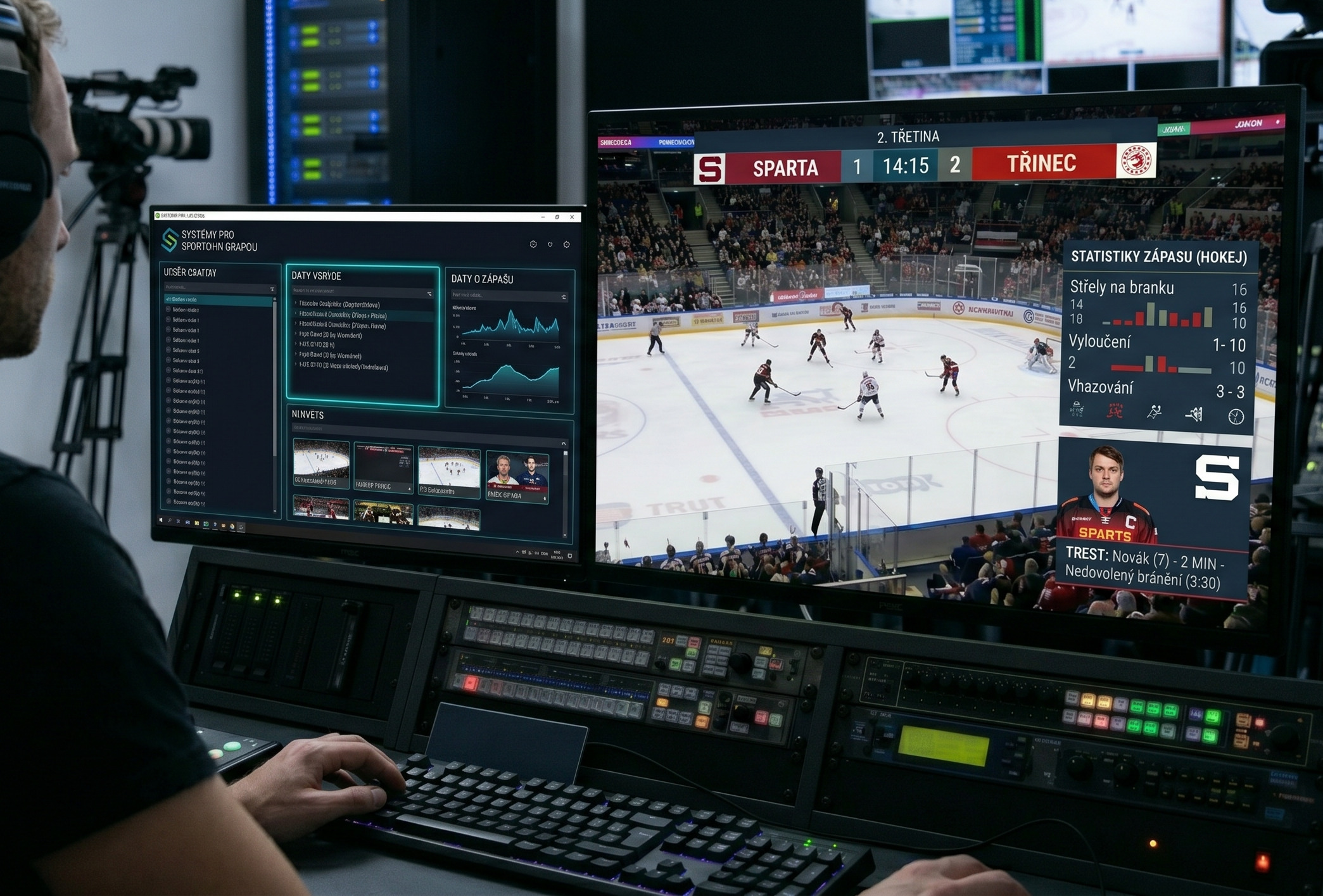
Main function
- scorebugs, timer and result graphics
- rosters, substitutions, player names
- connection to statistics, tables and external data sources
- support for online feeds, bets, imports and manual operation
Where it makes sense
- hockey, football, basketball, volleyball and other big sports
- studio programs with statistics and analyses
- live streams with fast graphics updates
- competitions and customized client solutions
From plain data to animated graphics
The graphics package gives the director and operator everything they need for immediate use during a live broadcast.
Input data
Online statistics, official data feeds, offline rosters or manually prepared documents are loaded.
Sports logic
Each sport can have its own controls for scores, periods, sets, penalties, substitutions, statistics and other specifics.
Control of on-air graphics
The operator or automation selects the correct templates and safely triggers overlays at a specific moment in the TV broadcast.
Broadcast output
The viewer receives consistent and quickly updated sports graphics in quality corresponding to television production.
Systems for betting graphics
Integration with betting providers and real-time graphics that display current odds directly in the television broadcast.
The software receives online data and converts it into graphic layers for sports broadcasting or special formats. Thanks to this, it is possible to work with odds, statistics and other data without manual rewriting.
The client needs the system when he wants to enrich his broadcasting with dynamic data, increase the attractiveness of sports broadcasting and maintain a safe flow of information up to the final graphic layer.
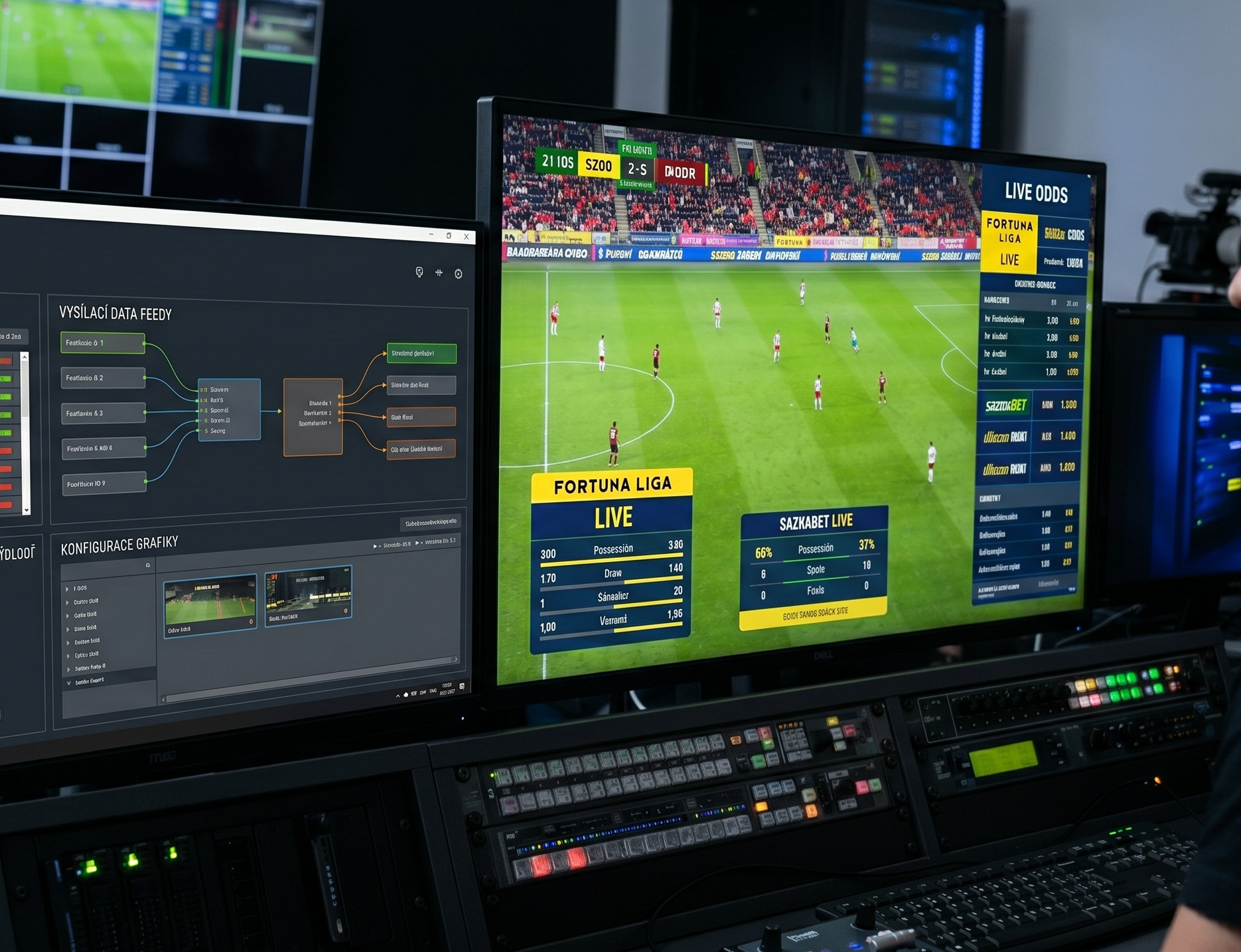
Main function
- Connection to betting and other data sources
- Real-time data transfer to graphics
- Adaptation to the visual style of the station
- Suitable for studio and live broadcasts
Where it makes sense
- sports studies
- betting segments and special programs
- live broadcasts with online graphics
- combination with playout and studio graphics
From data feed to live TV graphics
Data flows automatically to the image without manual input at the critical moment of the broadcast.
External data
The system receives odds, statistics or other data from partners or feeds.
Mapping to graphics
The data is transformed into the appropriate templates using defined rules and positions in the television layout.
Display control
The control-room operator or automation decides when each graphic is displayed and at what priority.
On-air output
The viewer receives a live data layer as part of a professional broadcast design.
Web presentations, backends and video archives
The digital layer of the TV channel from the presentation frontend to the administrative backend and video archive.
SAT Plus also supplies web presentations of television stations, administration systems, video archives and content backends. In this way, the TV workflow spills over into the digital space outside of linear broadcasting itself.
It is designed for channels that extend beyond linear television and need their own archive, fast content management, microsites or integrated video services.
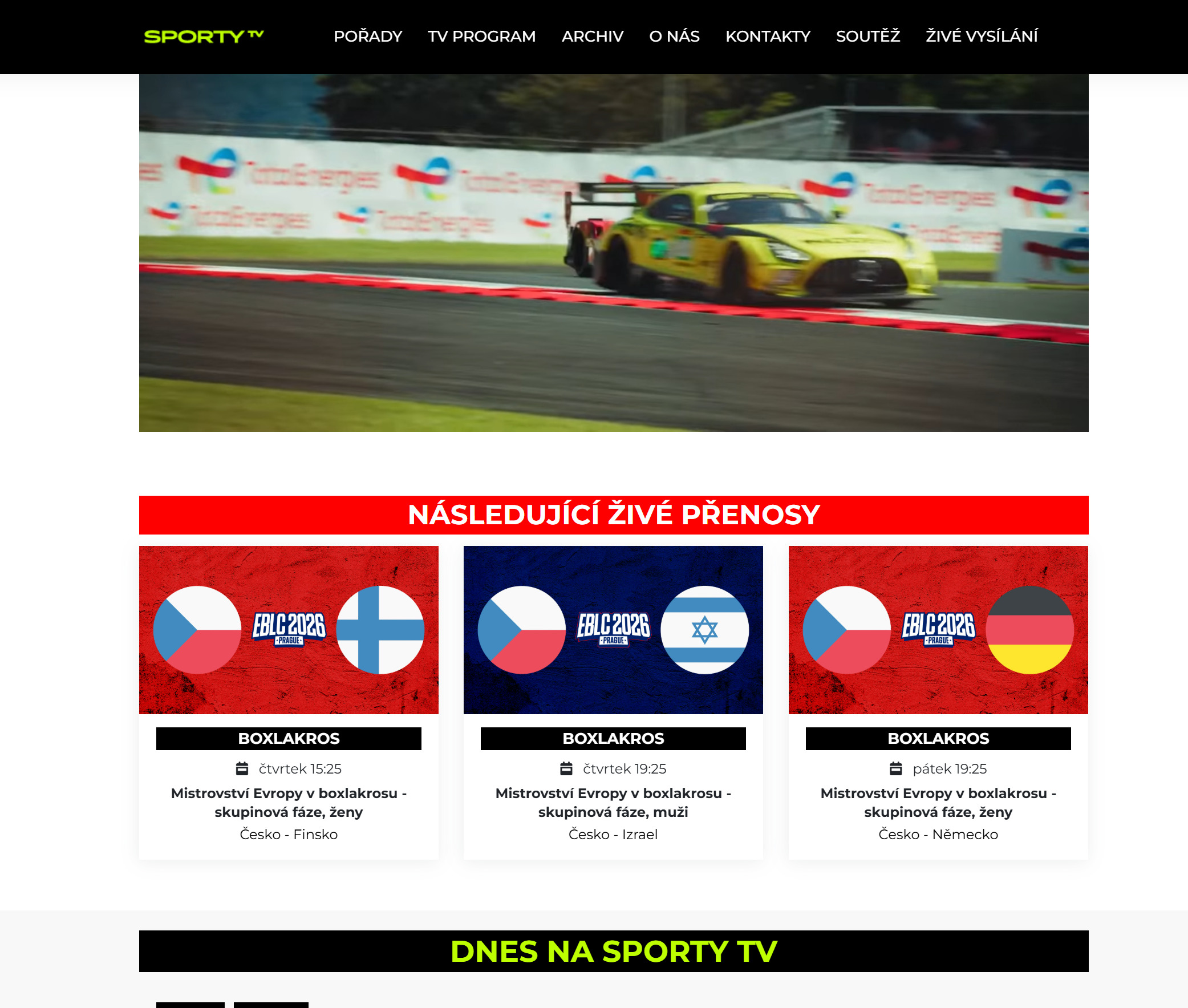
Main function
- Customized web presentations and microsites
- Backend and content management
- Video archive, cataloging and searching
- Integration with TV broadcasting, storage and other services
Where it makes sense
- television station websites
- video archives and program catalogs
- internal portals and content backends
- specific presentation and distribution tools
From content to a brand that works online
The digital layer follows on from television production and extends its lifespan and commercial use.
Content and metadata
The input is the video, the program, the metadata and the structure of what the client wants to communicate or archive.
Backend and logic
We define content management, roles, categories, video links and the required data integrations.
Frontend and UX
A public or internal layer is created for users, editors, partners or viewers.
Long-term operation
The result is a digital platform that lives with the TV channel and supports its growth.